

Hi Hi! My name is Stefani and I want to share 5 tips to help you improve your poses, these tips will focus on the sketching process, since I consider that this is the base of everything, if the base is right, the rest will work.
Here is the video tutorial:
TIP 1 - Identify the shapes of your characters
All the characters are made up of shapes, being clear about the shapes that make up your character will help when drawing them since you will not be thinking of drawing an abstract character with many details but the shapes that are connected to make up that character.
The forms help us to simplify the parts of the body while we are sketching, with them we can build a solid base on which later in the drawing we can polish with anatomy.
The shapes that I consider most important are those that represent the head, rib cage and hip, since these are the spine of the character's body, since these parts are where the rest of the limbs branch from, if we understand these Forms and mastered them can greatly improve our poses.
✦ The first step is to recognize the shapes that our character has.
✦ The second, we will give it volume, the way I do it by placing an upper and lower base to the shape.
✦ Third step, practice and become familiar with the shapes and their volumes, it is not enough to know that they are there you have to try to draw them in different perspectives, in this way when doing the pose it will come out naturally. because you will have already internalized how these volumes behave.
The way I do the body shapes is as follows:
The shape of the rib cage is a simplified version of the ribs, the pelvis is a triangle whose upper base is circular, the shape of the legs and arms are cylinders, which have the upper part wider than the lower one, the feet They are a kind of triangle, and the hands are made up of a triangle and two planes, to simplify it it can be just one plane or a triangle with curved lines.
When sketching, do not feel the pressure to make each shape so detailed, you can take the liberty of not finishing certain lines, but if you feel that there are parts of which you are not sure, you better have the complete form to better visualize what you are. doing.
TIP 2-line of action and the shoulder hip rule
We already have the basic elements, it is time to join them to make a pose, we will do this with the help of the line of action and the shoulder-hip rule, this transforms any boring pose into an interesting and dynamic pose.
The line of action is the line that indicates the direction of our pose, generally it is also the direction in which the spine goes, this line can vary but it is usually a smooth curved line, generally in "c" or "s" , never a straight line because otherwise the pose will be rigid and unnatural.
the shoulder-hip rule, The shoulders and hips are represented by two lines, the rule consists in that these lines are inclined towards the same direction but not in a parallel way, in general we can say that the shoulders and hips form a symbol of ">" or "<" depending on the case.
Now of course it's time to do poses! To do this, we will follow the following steps:
1- Line of action
2- Head
4- Rib cage and pelvis, making sure to follow the shoulder-hip rule.
5- We continue with the legs and feet, then with the arms and hands, always guiding ourselves by the line of action.


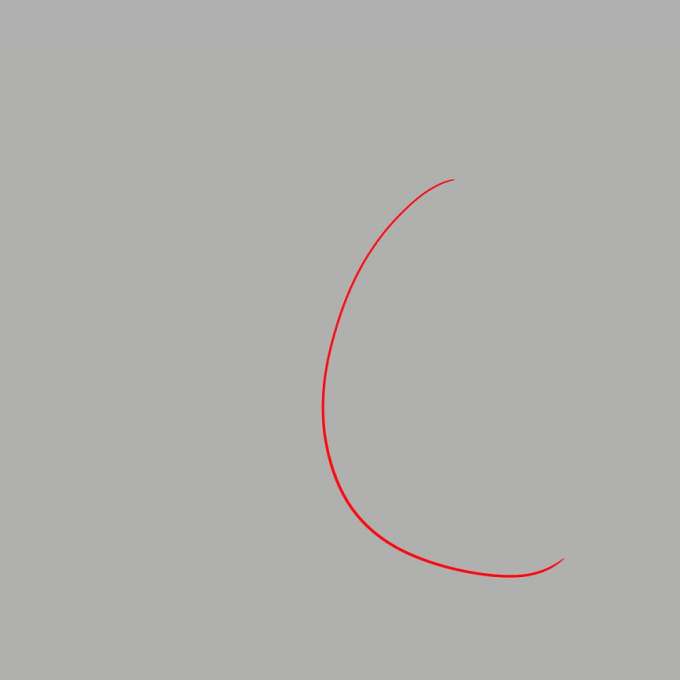
Working in this way we have a lot of control over the pose, as we start by giving the direction to the pose, then by establishing its spine and finally completing it with the arms and legs, preserving the coherence of the line of action.
These steps are to have a sketchy general pose very generally and effectively.
Do not worry when drawing if you do not follow the line of action to the letter, this line is a guide that we can alter as we advance in the drawing.
The line of action not only helps us to give dynamism to the pose, but it can help us to reinforce the acting of the character, in this example both characters are on a swing, however the mood is completely different.
This is due to its corporal expression, when drawing the poses not only thinking about whether it looks good at an anatomical level or proportions, let's also think about what we want the pose to communicate about the character. That is why you have to think beyond the pose that the character is performing and take into account the state of mind with which he is performing the action, how he is doing it
If the character is running, how is he running? Are you running with energy? or are you running very tired and seem to want to stop? if we add this type of detail to the pose it will acquire much more personality.
Don't be afraid to exaggerate your poses, exaggeration can help you better emphasize the character's movement.
TIP 3 - The Balance
All bodies have a center of gravity; an imaginary point where gravity grabs you and pulls you down, in humans it is just behind the navel.
For a pose to be balanced it has to hold this center of gravity. To identify if we are complying with this or not, we draw a straight line towards the surface where the character is, the body must be supported at that exact point.
The body can be supported in various ways but generally it is as in example number 2, that is, through 2 points of support, the center of support is the midpoint between the two points of support, The body can also be supported With a single point of support, as in example number 1, it can also be supported on an element external to the body, such as something that is part of the stage or a prop that the character has.
For poses that are in motion change the balance approach, since the less balanced a pose looks, the more movement and dynamism it acquires.
some points to keep in mind when drawing motion:
1- When moving, the body tends to lean towards the direction in which we are going, whether we are going forward or backward, the more inclined the body is, the faster it moves, but be careful! If the head exceeds the legs, the character will give the impression that he is about to fall.
2- When a person makes a throw instinctively, he moves the leg opposite to the arm that is performing the action, the leg moves forward to support the body since the movement will make it lean towards the direction in which the throw will be made, This also applies when a punch is thrown since the same movement is performed.
When a person is about to receive an impact, they instinctively take a step backwards, in order to try to lessen the impact of the approaching force.
3- Looking at these two drawings we can notice that number 1 seems more in control of the situation than number 2, and this is mainly due to the position of the legs, that is the difference between landing and falling, if you want a character to be in control during a fall make sure that the legs are in a suitable position to reach the ground just below the center of gravity, you can also use your arms and hands.
TIP 4- Supports the movement of the pose
Looking at these two poses we can see that one looks more dynamic than the other and this is because the dynamism of the pose is complementing the clothes, something that can kill part of the dynamism of a pose is that the clothes and hair are not in tune with the movement of the pose.
If the character is moving in the "a" direction, the character's clothes and hair must be moving in the "b" direction.
This not only applies to poses in movement, also poses at rest we can make them a little more dynamic by adding a subtle wind so that movement adds interest to the pose
TIP 5- Use 3D models
The use of references is very important to improve our poses, and luckily clip studio makes life easier for us with 3D models, with them we can make the exact pose we want without wasting time browsing the internet to try to find the pose we have in mind.
It can be difficult for us to make the pose look natural, however we already have the solution and we saw it earlier in the video: the line of action as well as the shoulder-hip rule!
If we apply these same rules to the 3d model, it will acquire much more dynamism.
Another advantage of this tool is that we can play with the 3D model to obtain more interesting perspectives, make sure you have an angle that you like and have the "manga perspective" option activated.
Thanks!
That's it for the tutorial, I hope it was helpful!
Do not lose motivation if at the beginning it is difficult to integrate new things into your workflow, everything with practice can be achieved, you are not alone, we are all in this learning process! a lot of encouragement <3
Users who liked this post




Comment